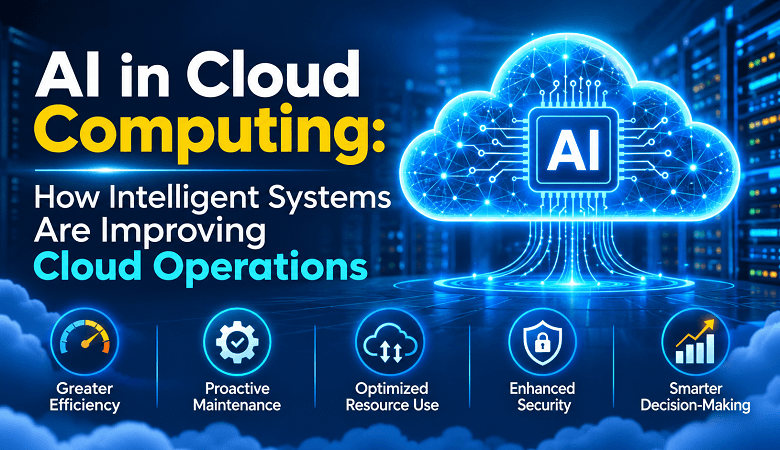
AI in Cloud Computing: How Intelligent Systems Are Improving Cloud Operations

Cloud computing has made it easier for businesses to store data, run applications and manage digital services. But managing a cloud environment is not always simple. Costs can rise without warning. Applications may slow down during busy periods. Security teams must monitor thousands of activities across different systems.
Artificial intelligence is helping cloud teams handle these challenges more effectively.
By combining AI with cloud computing, businesses can monitor infrastructure, predict resource requirements, detect unusual activity and automate routine tasks. These capabilities help IT teams spend less time on manual checks and more time improving their systems.
AI in cloud computing is not limited to large technology companies. Small businesses, software developers, startups and enterprise IT departments can also use intelligent cloud services. The right approach depends on their workload, data requirements and technical resources.
This article explains how AI improves cloud operations, where businesses can apply it, and what they should consider before adopting it.
What Is AI in Cloud Computing?
AI in cloud computing refers to the use of artificial intelligence and machine learning within cloud-based infrastructure and services. These technologies analyse operational data, identify patterns and support decisions that would otherwise require manual work.
Cloud platforms generate large amounts of information every day. This includes server performance records, application logs, network traffic, storage activity and security events. AI systems can process this information to identify problems and recommend suitable actions.
For example, a cloud application may receive more traffic during certain hours. An AI-powered monitoring system can study previous usage patterns and help predict when additional computing resources will be required.
The system may then recommend scaling resources or trigger an approved automated response.


In simple terms, cloud computing provides the infrastructure, while AI helps teams manage that infrastructure with better information.
How AI Is Improving Cloud Operations
AI is changing several parts of cloud management. Its value becomes clearer when businesses look at specific operational problems rather than treating it as a single technology.
1. Predictive Monitoring Helps Prevent Downtime
Traditional cloud monitoring often depends on predefined alerts. An administrator sets a threshold for CPU usage, memory consumption or network activity. The system sends an alert when performance crosses that limit.
This approach works, but it has limitations. Some issues develop gradually. Others appear as unusual combinations of smaller warning signs.
AI-based monitoring can analyse historical performance data and identify patterns linked to possible failures. It may detect increasing memory usage, unusual response times or repeated application errors before they cause a major disruption.
Consider an online store during a promotional campaign. Traffic usually increases during the evening. However, the application starts responding slowly several hours before the expected peak.
An intelligent monitoring system can flag the unusual behaviour. The IT team can investigate before customers experience widespread service problems.
Predictive monitoring does not guarantee that outages will disappear. It gives teams more time to identify risks and respond.
2. Automated Resource Management Controls Cloud Costs
Cloud infrastructure is flexible. Businesses can increase or reduce computing resources based on demand. However, poor resource management can lead to unnecessary spending.
A company may continue paying for virtual machines that are rarely used. Development environments might remain active overnight. Storage volumes can grow even when older data is no longer required.
AI can help identify these inefficiencies.
Machine learning systems analyse workload patterns and resource consumption. Based on this information, they can recommend changes to computing capacity, storage allocation and workload scheduling.
For example, a business may notice that its customer support application receives fewer requests after working hours. The cloud environment may not need the same computing capacity throughout the day.
An intelligent resource management system can help adjust capacity according to demand. Some platforms also support automated scaling based on defined policies.
Businesses should still set spending limits and approval rules. Automated changes need proper oversight, especially when they affect production applications.
3. AI Makes Cloud Security Monitoring More Effective
Cloud security involves more than setting passwords and installing firewalls. Organisations must monitor user access, application activity, network connections and data movement.
The number of events can make manual monitoring difficult.
AI-powered security tools can analyse activity across cloud environments. They look for behaviour that differs from normal usage patterns.
Examples include:
- A user accessing sensitive files at an unusual time.
- Multiple failed login attempts from unfamiliar locations.
- Unexpected data transfers from a cloud storage account.
- A service account requesting permissions it does not normally use.
- Unusual network traffic between applications.
These signals can help security teams investigate potential threats.
AI can also support threat classification and alert prioritisation. This helps analysts focus on events that need attention.
However, AI-based security tools are not a replacement for access controls, encryption or security policies. Businesses still need identity management, regular audits, vulnerability testing and incident response procedures.
For organisations handling confidential information, cloud security must remain part of the original system design.
4. Intelligent Automation Reduces Repetitive IT Work
Cloud administrators handle many routine activities. These include checking system health, reviewing logs, managing access requests and responding to recurring incidents.
AI can assist with these tasks by analysing operational information and suggesting suitable actions.
For instance, an AI system may identify a recurring application error. It can collect relevant logs, compare the issue with previous incidents and recommend a troubleshooting step.
In some environments, approved automation workflows can restart a service or create a support ticket. More sensitive actions can remain subject to human approval.
This approach connects AI with existing automation tools. Businesses can explore practical applications through AI in business automation, particularly when they want to reduce repetitive manual processes.
The main benefit is not removing IT teams from daily operations. It is giving them more time to work on complex issues and system improvements.
5. AI Improves Cloud Application Performance
Application performance depends on several factors. These include server capacity, database queries, network latency and application design.
A problem in one area can affect the entire user experience.
AI-powered performance analysis can study application behaviour and identify possible bottlenecks. It may highlight slow database queries, repeated errors or unusual response times.
Developers can use these findings to investigate the underlying issue.
For example, an e-commerce application may slow down when customers search for products. Performance data might show that a particular database query takes longer during high traffic.
The development team can then review the query, improve indexing or adjust the application architecture.
AI does not automatically fix every performance issue. It helps teams find useful evidence faster.
6. Smarter Data Management Supports Better Decisions
Cloud platforms store different types of business data. These may include customer records, sales transactions, website activity, application logs and operational reports.
Finding useful information across these sources can be challenging.
AI can help classify data, identify patterns and support analytics. Machine learning models can examine large datasets to identify changes in customer behaviour or operational performance.
For example, a retail business may use cloud-based analytics to study seasonal demand. The results can help its team plan inventory and adjust staffing.
A finance department may use similar tools to identify unusual transaction patterns. A software company may analyse application usage to understand which features customers use most often.
Businesses should also establish clear data governance rules. Data quality, access permissions and retention policies affect the reliability of AI-generated results.
AI and Cloud Computing Technologies Working Together
AI in cloud computing involves several technologies working together. Understanding their roles helps businesses choose suitable services.
Machine Learning
Machine learning allows systems to identify patterns in data and improve predictions based on examples.
Cloud providers offer machine learning services that businesses can use without building every component from scratch.
Common applications include demand forecasting, anomaly detection, recommendation systems and workload prediction.
Natural Language Processing
Natural language processing helps computers understand and respond to human language.
In cloud environments, it can support customer service chatbots, internal knowledge assistants and IT support systems.
For example, employees may ask an internal assistant how to request access to a cloud application. The assistant can retrieve relevant information from approved company documents.
Generative AI
Generative AI can create text, code, summaries and other content based on user instructions.
Cloud-based generative AI services allow businesses to connect language models with their applications and data.
Development teams may use these services to explain code, draft technical documentation or summarise application logs.
However, generated output needs review. Businesses should not treat AI-generated code or technical advice as automatically correct.
AI Agents
AI agents can work through a sequence of tasks using defined tools and permissions. In cloud operations, an agent might collect diagnostic information, check a knowledge base and prepare a recommended response.
More advanced workflows may connect several systems. For example, an agent could identify an application error, create a ticket and notify the responsible team.
Businesses should limit agent permissions and maintain clear approval steps. An agent should not receive unrestricted access to production infrastructure.
For a closer look at this technology, read what autonomous AI agents are and how they work.
Practical Business Uses of AI-Powered Cloud Computing
AI-powered cloud services can support different business functions. The use cases vary by industry, but several applications are already relevant to everyday operations.
Healthcare
Healthcare organisations manage patient records, appointment systems and medical applications. AI-enabled cloud services can help analyse operational data and support administrative workflows.
For example, a hospital may use predictive analytics to estimate appointment demand. It can then plan staff availability more effectively.
Any use involving patient information requires strict privacy controls. Healthcare organisations must follow applicable data protection and industry regulations.
Banking and Financial Services
Financial institutions process large volumes of transactions. AI can help identify unusual activity and support fraud detection.
Cloud-based analytics can also help financial teams study transaction patterns and monitor application performance.
Sensitive financial data requires strong encryption, access controls and audit records.
E-commerce and Retail
Online stores often experience changes in traffic during sales and seasonal events.
AI can help forecast demand, recommend products and adjust cloud resources. Retail teams can also use customer data to understand shopping patterns.
The business must manage customer information responsibly and ensure that its systems remain available during peak demand.
Software Development Companies
Software teams use cloud infrastructure to build, test and deploy applications.
AI can assist with code analysis, log reviews and performance monitoring. It can also help developers prepare documentation and investigate common errors.
These applications can reduce repetitive work, but developers remain responsible for testing and reviewing changes.
Small and Medium-Sized Businesses
Smaller companies may not have large IT departments. They can use managed cloud services with built-in monitoring, analytics and automation features.
A small business could start with automated backups, usage alerts and cloud cost reports. It can then explore more advanced AI features as its needs grow.
The goal should be to solve a real operational problem. Buying several AI services without a clear use case can create extra costs and management work.
Popular Cloud Platforms Offering AI Capabilities
Major cloud providers offer services that combine cloud infrastructure with artificial intelligence and machine learning. Each platform has different products, pricing models and technical requirements.
Amazon Web Services (AWS)
AWS provides AI and machine learning services through its cloud ecosystem. Businesses can use services such as Amazon SageMaker to build, train and deploy machine learning models. AWS also offers tools for monitoring, analytics and application development.
Microsoft Azure
Microsoft Azure provides cloud infrastructure and AI services for business applications. Its ecosystem includes Azure Machine Learning and Azure AI services. Organisations can use these tools for model development, data analysis and intelligent application features.
Google Cloud
Google Cloud offers AI and machine learning capabilities through products such as Vertex AI. Businesses can use its services to develop models, manage data and integrate AI features into cloud applications.
IBM Cloud
IBM provides enterprise cloud and AI services through its technology ecosystem. Its offerings support data management, AI development and business applications.
The best platform depends on the organisation’s existing systems, technical skills, compliance requirements and expected workload. Businesses should compare service limits and total costs before choosing a provider.
Challenges of Using AI in Cloud Computing
AI can improve cloud operations, but implementation requires careful planning. Businesses should understand the risks before connecting intelligent systems to important infrastructure.
Data Privacy and Compliance
AI systems often require access to operational or business data. This creates privacy concerns when the information includes customer details, financial records or confidential documents.
Companies should identify what data a service collects and where it is processed. They must also review the provider’s security controls and data retention policies.
Integration With Existing Systems
Many organisations use a mix of older applications, private servers and cloud platforms.
Connecting AI services to these systems may require API development, data migration and configuration changes. Poor integration can create duplicate processes or unreliable information.
A small pilot project can help identify these issues before a wider rollout.
Unpredictable Costs
AI workloads can consume significant computing resources. Model training, frequent inference requests and large data transfers may increase cloud bills.
Businesses should monitor usage from the beginning. Cost alerts and spending limits can help prevent unexpected expenses.
Inaccurate Predictions
AI models depend on the quality of their training data and the information they receive.
Incomplete records or unusual operating conditions can lead to incorrect predictions. Teams should test model performance and review important recommendations before acting on them.
Skills and Operational Knowledge
AI-powered cloud systems still need people who understand infrastructure, data and security.
Employees may need training to manage new tools and interpret their results. Organisations should also document automated workflows so that teams understand what happens when a system detects an issue.
Before starting a project, businesses can review common AI implementation mistakes that cost businesses. This can help them identify planning gaps and avoid unnecessary spending.
How Businesses Can Start Using AI in Cloud Operations
A successful implementation does not require a complete infrastructure upgrade. Businesses can begin with a small, measurable use case.
- Identify an existing operational problem
Start with an issue that affects daily work. It could be rising cloud costs, repeated system alerts or slow application performance.
- Review the available data
Check whether the business has reliable performance records, application logs and usage data. AI recommendations will only be useful when the underlying information is suitable.
- Choose a relevant cloud service
Compare providers based on existing infrastructure, security requirements and technical support. Avoid selecting a service only because it offers advanced AI features.
- Run a controlled pilot
Test the solution with a limited workload. Monitor its accuracy, performance and cost before connecting it to critical applications.
- Keep human approval for sensitive actions
Automated systems should follow clear permission rules. Actions involving customer data, production infrastructure or financial processes may need human review.
- Measure the results
Track measurable changes such as response time, downtime, resource usage and manual workload. Compare these results with the situation before implementation.
- Review and improve the setup
Cloud workloads change over time. Review system performance regularly and update configurations when business requirements change.
What Is the Future of AI in Cloud Computing?
AI and cloud computing will continue to develop together. Businesses are likely to see more intelligent monitoring, automated infrastructure management and AI-powered application services.
One important area is AIOps, which uses AI and machine learning to support IT operations. These systems can analyse operational data, connect related alerts and help teams investigate incidents.
Another area is autonomous cloud management. Some systems can already recommend or perform approved actions based on defined rules. Future tools may handle more complex workflows, although security and human oversight will remain important.
Edge AI is also gaining attention. It allows certain AI tasks to run closer to the devices generating the data. This can reduce the need to send every piece of information to a central cloud environment.
For businesses, the practical question is not whether every cloud task needs AI. It is where intelligent systems can improve reliability, reduce manual work or provide useful information.
Organisations that combine AI capabilities with good infrastructure management will be better prepared to handle changing workloads.
Conclusion
AI in cloud computing is changing how businesses monitor, secure and manage their digital infrastructure. Intelligent systems can help predict performance issues, control resource usage and identify unusual activity.
They also support automation and faster analysis. This gives IT teams more time to focus on system improvements and business requirements.
However, successful adoption depends on more than choosing an AI service. Businesses need reliable data, clear security policies and measurable goals. They must also review automated decisions and control cloud spending.
The most practical approach is to start with one operational challenge. Test a suitable AI-powered cloud solution, measure the results and expand only when the benefits are clear.
When implemented carefully, AI can make cloud operations more efficient, responsive and easier to manage.
Frequently Asked Questions
1. What is AI in cloud computing?
AI in cloud computing means using artificial intelligence and machine learning within cloud-based services. These technologies help businesses analyse data, monitor infrastructure, predict issues and automate selected operations.
2. How does AI improve cloud operations?
AI improves cloud operations by analysing system activity and identifying patterns. It can support predictive monitoring, resource management, security alerts, application performance analysis and routine automation.
3. Can AI reduce cloud computing costs?
AI can help reduce cloud costs by identifying unused resources and analysing workload patterns. It may recommend better resource allocation or support automatic scaling. Actual savings depend on usage, configuration and service pricing.
4. Which cloud platforms provide AI services?
Amazon Web Services, Microsoft Azure, Google Cloud and IBM Cloud offer AI and machine learning services. Businesses should compare their features, pricing, integrations and security requirements before choosing a platform.
5. Is AI in cloud computing suitable for small businesses?
Yes. Small businesses can use cloud-based AI features for monitoring, analytics, customer support and workflow automation. They can start with a limited use case and expand as their requirements grow.
6. What are the main risks of AI-powered cloud computing?
Key risks include data privacy issues, inaccurate predictions, unexpected costs, integration problems and excessive automation permissions. Businesses should use security controls and human review for sensitive operations.
7. What is AIOps in cloud computing?
AIOps stands for Artificial Intelligence for IT Operations. It uses AI and machine learning to analyse operational data, identify unusual behaviour and help IT teams detect and resolve infrastructure problems.